IAM Credential
AWS Identity and Access Management (IAM) lets you manage several types of long-term security credentials for IAM users:
-
Passwords – Used to sign in to secure AWS pages, such as the AWS Management Console and the AWS Discussion Forums.
-
Access keys – Used to make programmatic calls to AWS from the AWS APIs, AWS CLI, AWS SDKs, or AWS Tools for Windows PowerShell.
-
Amazon CloudFront key pairs – Used for CloudFront to create signed URLs.
-
SSH public keys – Used to authenticate to AWS CodeCommit repositories.
We will use Access keys and assign it to CLI to interact with AWS.
To create IAM Access keys, you need to have a IAM user. you can refer to this lab.
- Access your IAM AWS Console, select Security Credentials, scroll to Access keys block and start to create new access key
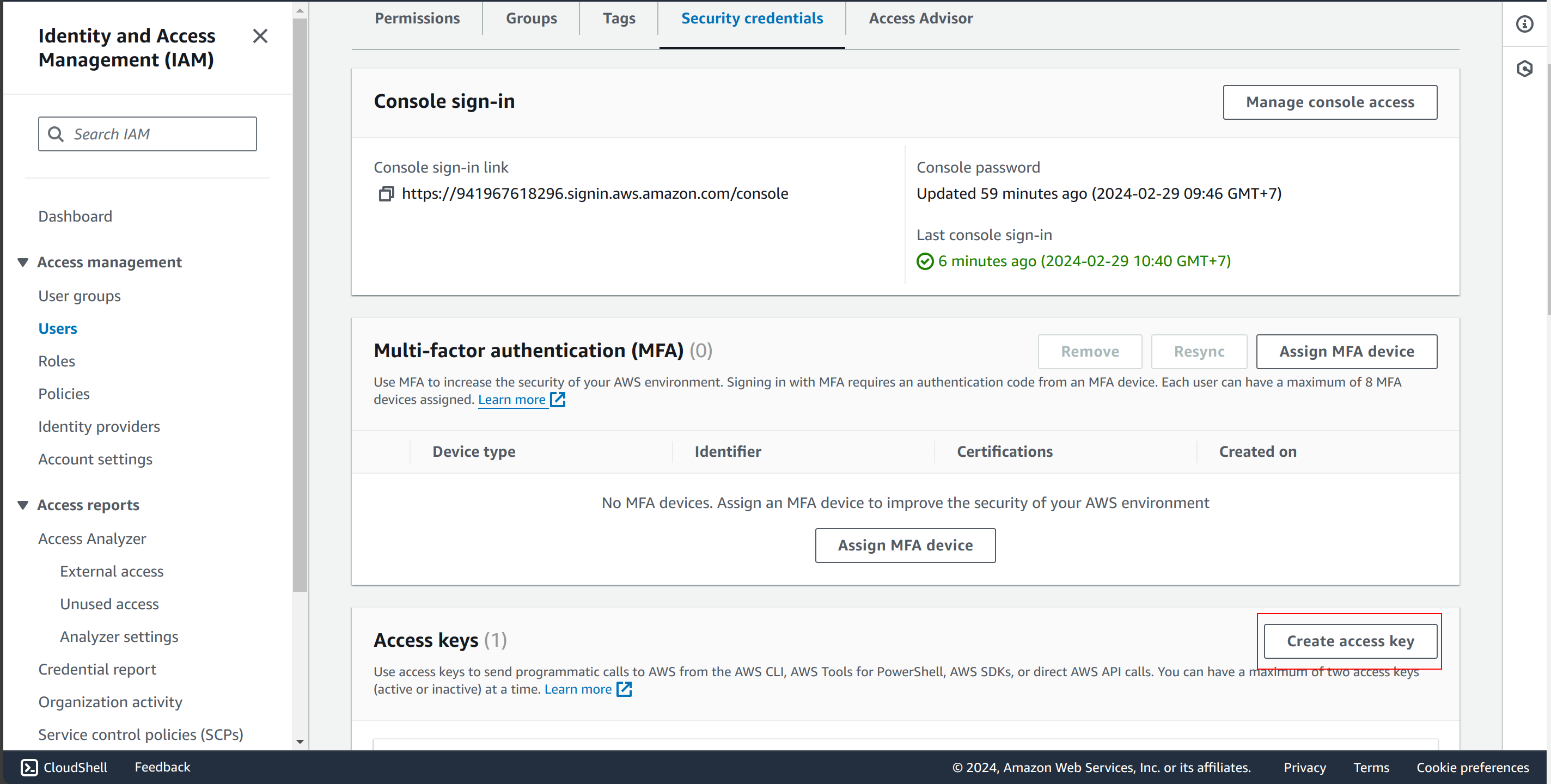
After finish, you will have a pair of Access key and Secret access key. Save it somewhere to use later. E.g:
Access key: AKIA5WUNFGD4EAPM7PBU
Secret access key: ah82tl1uTYJP2mnUd/D/h+8g**********